DTM Chart
The DTM chart embeds a drawing built on a DTM page into a dashboard page, with the points in the drawing refreshing with real-time data.
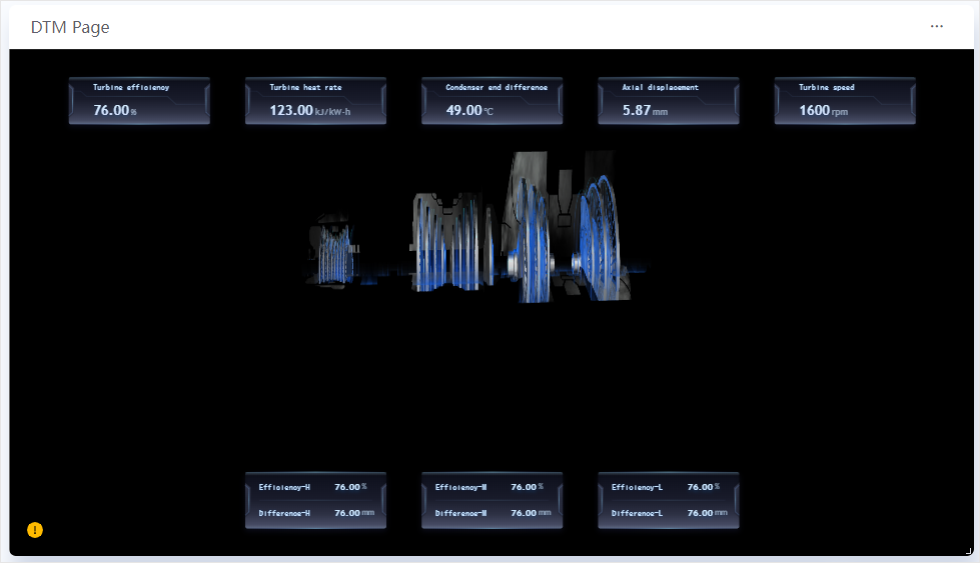
For common configuration such as the title, background, and refresh frequency, see Common Configurations for Charts.
Data of DTM Chart
The DTM chart requires no dimension, comparison, or measurement fields. The data points of the drawing are defined on the DTM page, and the widget retrieves data directly according to that point configuration at runtime.
Style of DTM Chart
Associated Page
Select the drawing to embed from the list of DTM pages. The list presents the drawing files saved on DTM pages as a directory tree.
Note
When no drawing is selected, the widget shows an empty state; when the selected drawing has been deleted, the widget reports that the associated DTM page does not exist.
Reload page on asset change
Cleared by default. Controls how the widget updates when an asset parameter changes:
Cleared: only the data in the drawing is updated dynamically, without reloading the drawing.
Selected: the whole drawing is reloaded when an asset parameter changes.
DTM Settings
DTM Settings replaces the assets in the selected drawing with other assets in bulk, so that one drawing can serve different assets. Select Add to add a replacement rule. Each rule contains:
Associated Page Asset: Select the asset in the drawing to replace. The options include only the assets marked as external assets in the drawing, not every asset in it.
An associated page asset can be replaced only once: an asset already chosen in another rule no longer appears in the dropdown lists of later rules.
The title of each rule shows the name of the associated page asset selected; if that asset no longer exists in the drawing, the title is flagged in red with Asset does not exist and you need to select again.
Target Asset ID: Enter the asset ID to replace it with. You can use
@{parameter_name}to reference a data source query parameter and${parameter_name}to reference a page parameter, so that the target asset is specified dynamically. For more information, see Configuring Dynamic Parameters.
Interactions at Runtime
The interactions inside a drawing (click jumps, popups, control commands, hover tooltips, alarm flashing, and so on) are defined together with the drawing on the DTM page and travel with it; they are not set in the configuration panel of this widget.
Note
The Basic tab of the DTM chart provides no Widget Padding, and the widget supports neither widget linkage nor style copying.